
captions.animate: two-line phrases, a moving highlight, and custom styles
Captions group into readable two-line phrases by default, the active word can ride a moving highlight pill, words can pop or bounce in, and a style object shapes every part of the look.
captions.animate now reads the way short-form creators caption. The default groups speech into a two-line phrase of four to six words at a steady size, so a viewer can scan ahead instead of catching one word at a time. Want the punchy word-by-word style instead? Set layout to word.
Placement holds steady. Captions sit at lower-center and a one-line and a two-line caption share the same center, so the block no longer jumps as the word count changes. Move it with position set to top, center, or bottom.
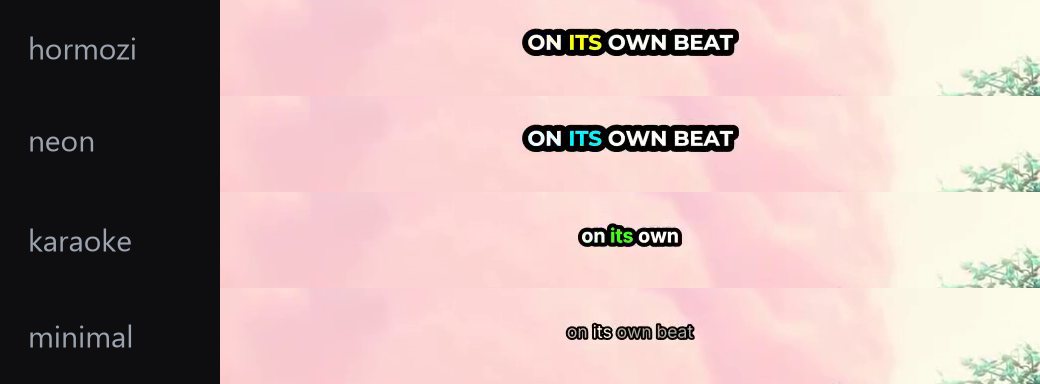
The active word can do more than change color. Set highlight.mode to box for a rounded pill that follows the spoken word, and pick an entrance so each word reveals as it is said: fade, pop, or a springy bounce.
All of it is one style object: layout, position, font, colors, stroke, highlight, and entrance. Start from a preset and override only what you want, or build your own look from scratch. See the captions.animate reference.
Highlight rendering and timing were tightened after this in smoother captions.